Shrooms Agents
Your coding agents, on your own machines, from your phone.
Why it belongs next to shrooms
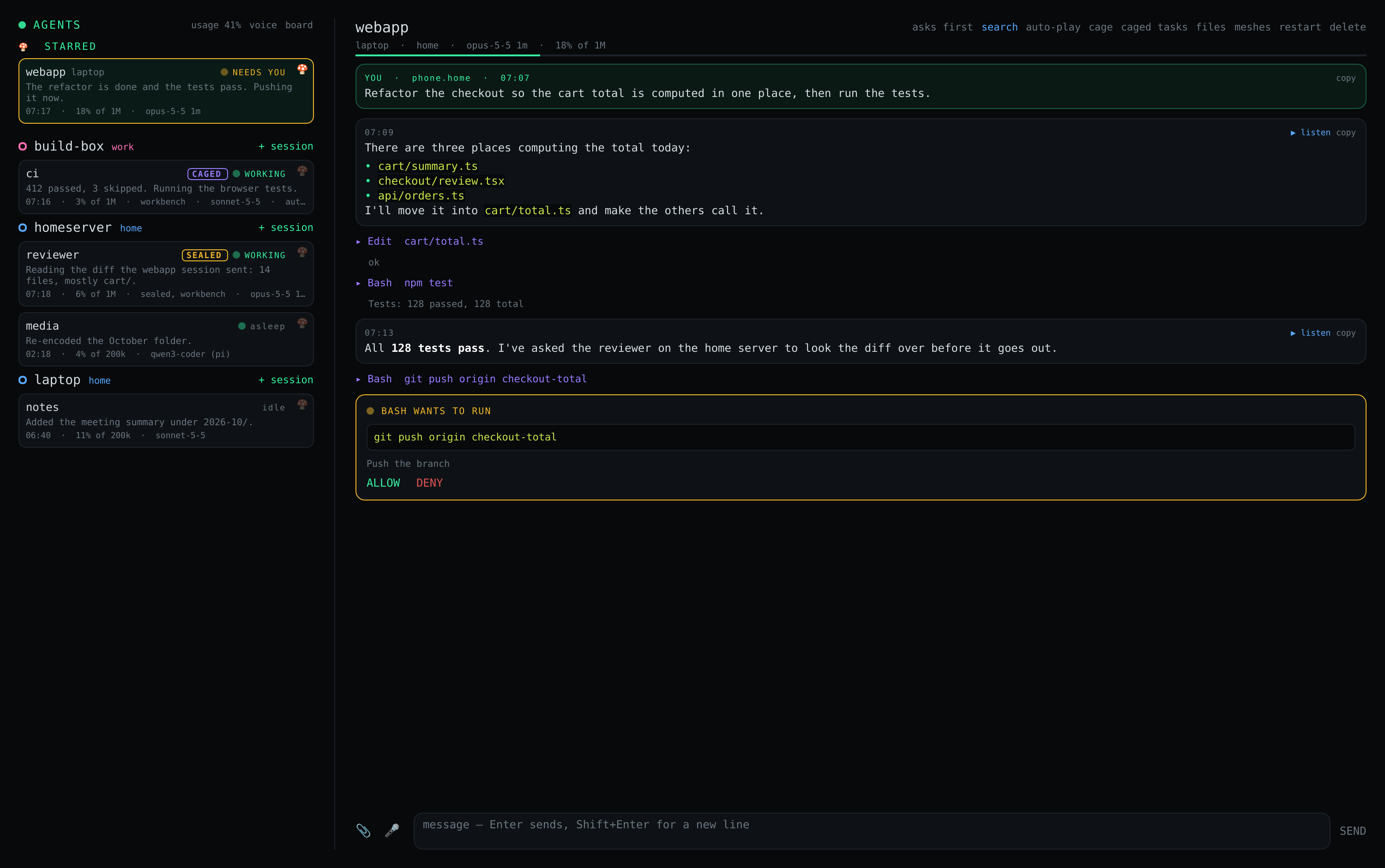
You leave Claude Code working on the laptop, or on a box at home, and walk away. Then it stops to ask whether it may run something — and you are not there. Shrooms Agents puts those sessions on your phone and in Basecamp: you see the reply as it is written, allow what it wants to run, answer its questions, send it a photo or a voice note.
shrooms is what makes that simple. Your machines are already on one mesh, so the phone reaches the laptop wherever both are — no port forwarding, no cloud relay, no account, no tunnel service. And the mesh is the lock: the agent listens only on mesh addresses, so only your own devices can reach it.
Install
On each machine that runs coding agents — shrooms already installed there:
curl -fsSLO https://raw.githubusercontent.com/vpavlin/shrooms/master/scripts/install-agent.sh
sudo bash install-agent.sh --voice
It runs the agent as you — never as root — and opens it to the mesh only;
--voice adds voice notes (the whole setup).
On the phone, Shrooms Agents is an Android app beside shrooms: in F-Droid,
add the repository https://apps.vpavlin.xyz/fdroid/repo and
install Shrooms and Shrooms Agents, then open it from the "agents" link in
the shrooms app. In Basecamp, add the repository
https://apps.vpavlin.xyz/basecamp/logos-repo.json and install
shrooms_core, shrooms and
shrooms_agents. Building them yourself:
setting up.
What is in it
Each machine runs shrooms-agent, which keeps that machine's
sessions: a name, a directory, and the coding agent working in it —
Claude Code, or
pi on any model, one on your own hardware
included. The phone app and the Basecamp module find every agent on your
mesh and show all their sessions together.
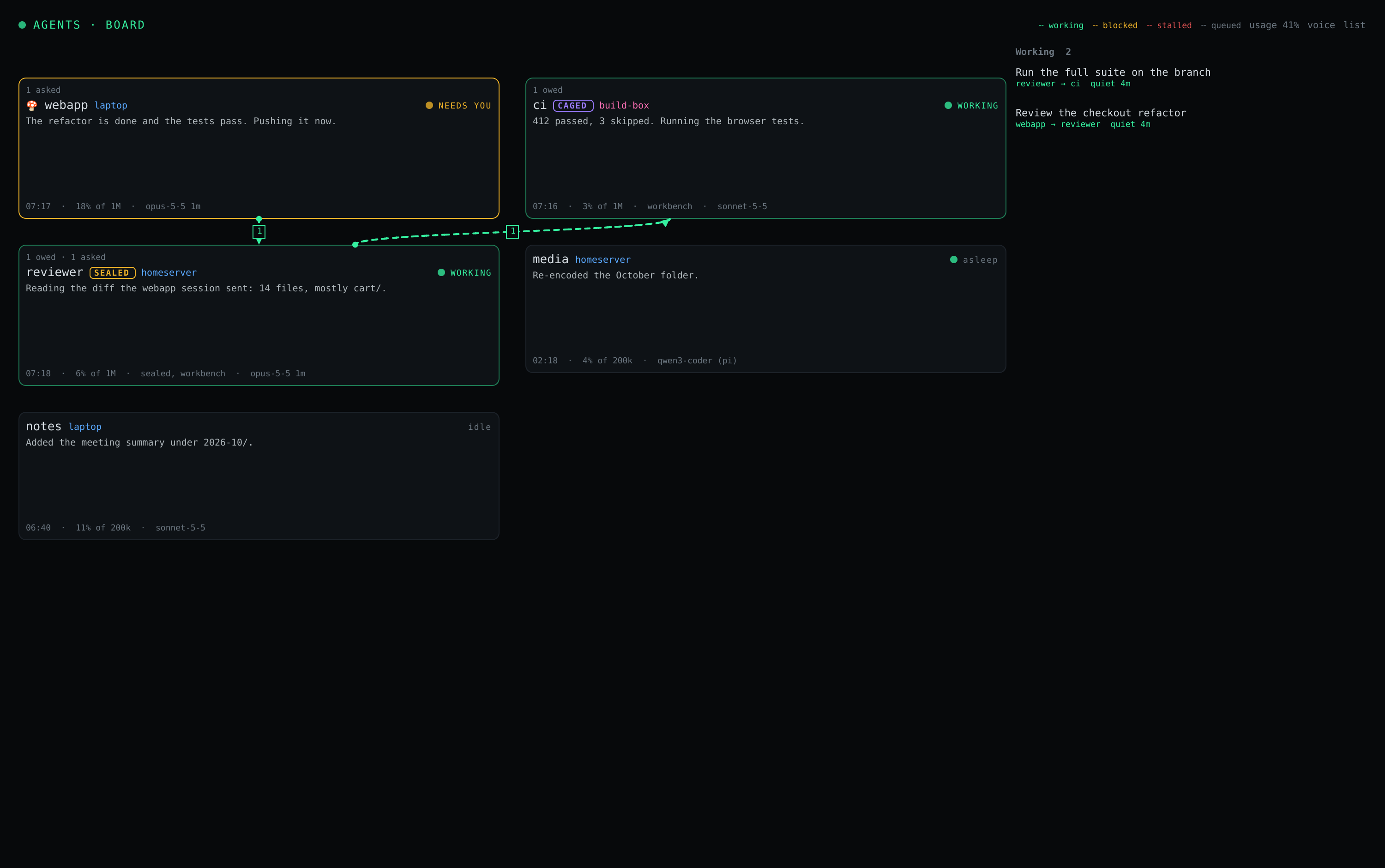
- Every session, at a glance. A list by machine, the ones you star first — or, in Basecamp, a board: a card per session with its last lines, and a dashed line from an agent to another that is working on something it asked for. The board
- A conversation streamed as it is written, permission prompts to allow or deny (or auto-approve per session), questions to answer, files and voice notes, search, read-aloud — and code in a reply copies itself when you tap it. Using it
- Will it last? What your sessions used, by machine, model and who asked; where your plan's limits stand; and whether, at the pace of the last hours, they last until they reset. Pay-as-you-go credits (Venice) beside them. Usage
- Agents working together. Every session is an A2A agent: one can ask another, on any of your machines, to do something — a task that stays open until the worker says it is done, with reminders if it goes quiet and the owner told if it stalls. Sessions can send each other files, too. Agents together
- Cages. A session can run in a rootless container of its own: root inside to install what it needs, your user outside, nothing of your home but its project. Auto-approve without handing over the machine. A sealed cage, for code nobody vouches for, reaches the internet and nothing local, runs on a login of its own, and only finishes the tasks it is given. Cages
- Your own machines, set up by you. One script per machine; Claude Code or pi logged in as in a terminal; voice notes transcribed on the machine, never by a speech service. Setting up · the API, the CLI and the files
The access control is the mesh
shrooms-agent listens only on the machine's mesh addresses —
never on its LAN or public ones — so the only devices that can reach it
are your mesh's members. There is no account, no token, no server in the
middle, and nothing to log in to: being admitted to the mesh is the
authorisation, and revoking a device from the mesh revokes it here too.
What that means, said plainly. Every member of the mesh can drive the agents on it, and an agent can do whatever its user can do on that machine. That is right for a mesh of your own devices, which is what this is for. It is not right for a mesh you share with other people — run the agent only where every member is you.
The agent runs as an ordinary user, never as root, and is a separate program from the shrooms daemon: the network stays the boring, privileged part, and the part that runs code on request stays out of it.
What the installer does, Claude Code and pi on a headless machine, voice notes, and what to check when something does not connect: setting up.
What it does not do
- It cannot log a machine's agent in. Claude Code is logged in once on the machine itself; the app has no way to do it for you (why, and what could).
- No terminal. It speaks to the agent, not to a shell; slash commands of the terminal UI do not exist here.
- Continuing a conversation started in a terminal works for Claude Code only, so far.
- One person's devices. As above: the mesh is the access control, so a shared mesh is the wrong place for it.