Your mesh,
on the desktop.
Shrooms in Logos Basecamp does what the phone app does, with the room a desktop has: the mesh as a living graph, every peer and what it offers, every setting the daemon can change — and, with a Keycard, admitting and removing devices without a terminal.
Install
Run the shrooms daemon on the same machine (quick start, install), and let your user talk to it: set
socket_groupin/etc/shrooms/config.tomlto a group you are in, thensudo systemctl restart shrooms.In Basecamp: Package Manager → Repositories → add
https://apps.vpavlin.xyz/basecamp/logos-repo.jsonInstall Shrooms. It brings
shrooms_core, the part that talks to the daemon. Optionally install Shrooms Agents beside it (what that is).Restart Basecamp after installing or updating
shrooms_core: a core module is loaded once, at startup.
What you see
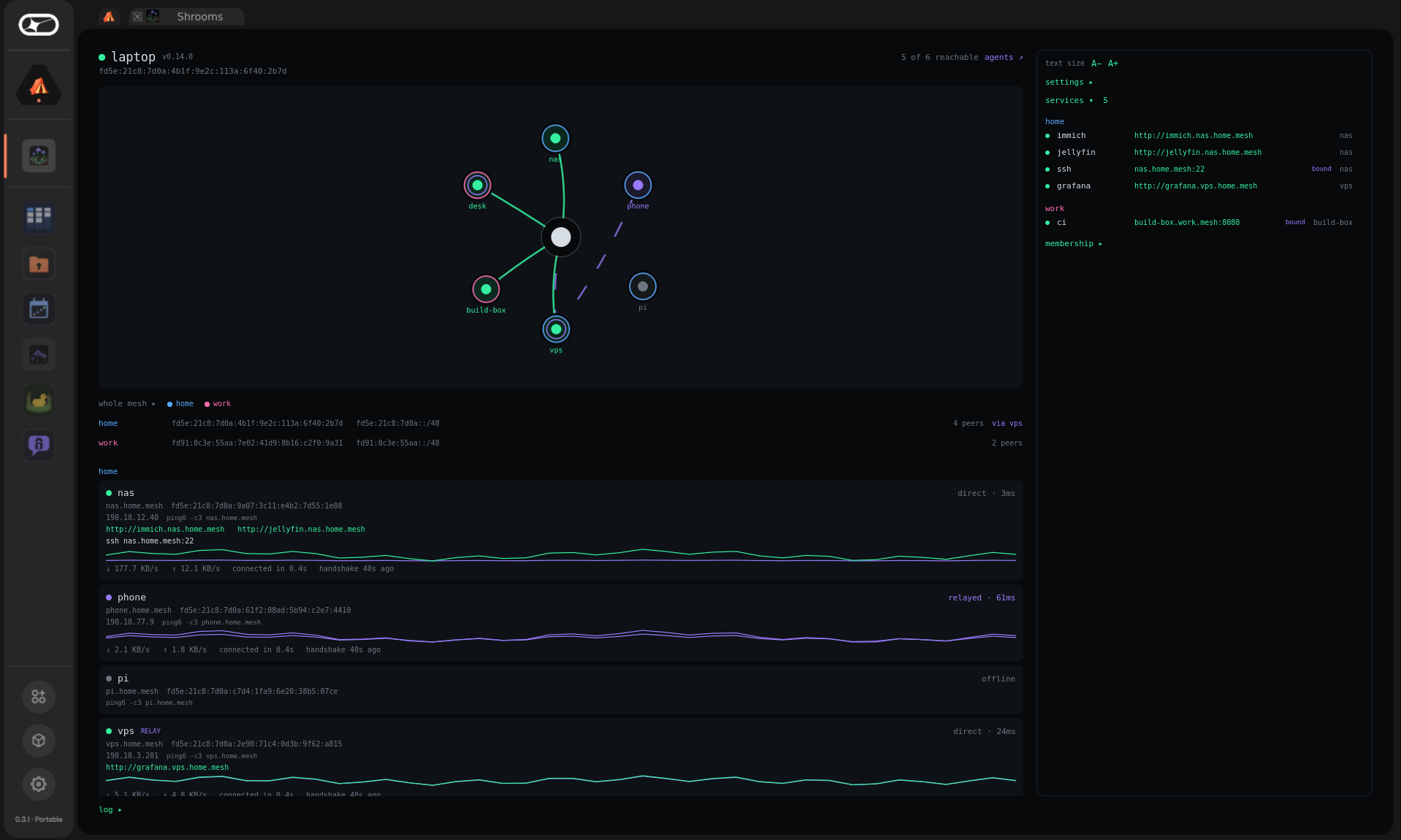
The mesh, drawn
This device in the middle, every peer around it, coloured by mesh. Solid lines are direct tunnels, dashed violet ones go through a relay. Click a node to jump to its card.
Every peer
Direct or relayed and how fast, its name and both addresses (IPv6 and
the IPv4 alias) to copy, what it offers and listens on, a
ping6 to paste, and a sparkline of its traffic.
Every service
All the meshes' services in one list — http://immich.nas.mesh
opens with a click; a bound port copies as nas.mesh:22.
The daemon's log
The last two hundred lines, filtered to warnings or errors, copied in one click — and a diagnostics report to paste to whoever is helping.
What you can change
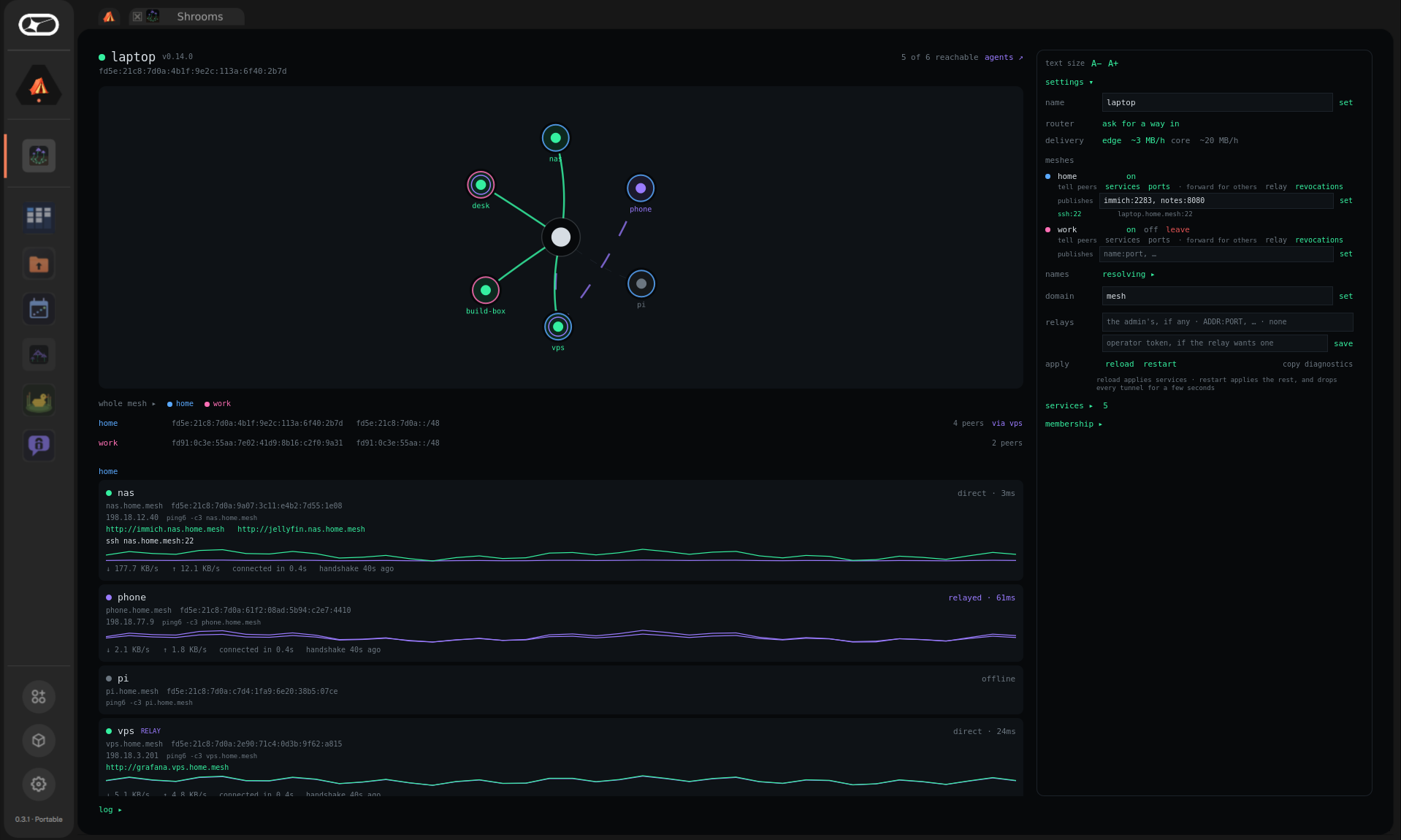
Everything this device decides for itself, without a terminal:
- Its name, and whether it runs as an edge node (~3 MB/h) or a core node of the gossip network (more, as it relays for others).
- Per mesh: switch it on or off, leave it, publish services, tell peers about them and about bound ports, relay for others, repeat revocations.
- Blind relays — relays somebody else runs, for a device behind carrier-grade NAT — with the operator's token saved but never shown again.
- The domain names are answered under, for a machine
that also lives on a network that uses
.internal. - Joining a mesh with an invite — the first one too: a machine with a fresh daemon opens on a join panel, like the phone's.
- Reload and restart, which is what applies the settings that say so.
Admitting devices, with a Keycard
On a mesh whose admin key is on a Keycard, Basecamp does the admin work too — and never holds the key. Install keycard and keycard-ui from the same repository, and plug in a USB smartcard reader.
Invite a device. Membership → invite a device. A QR appears; the phone scans it, or a laptop pastes the token. "kitchen-pi wants to join" — admit.
Approve on the card. The Keycard module shows a signature request from shrooms. Card on the reader, PIN on its screen, approve. Shrooms never sees the PIN or the key.
Done. The daemon checks the signature against the mesh's admin keys before it admits anybody, and the device appears on the roster.
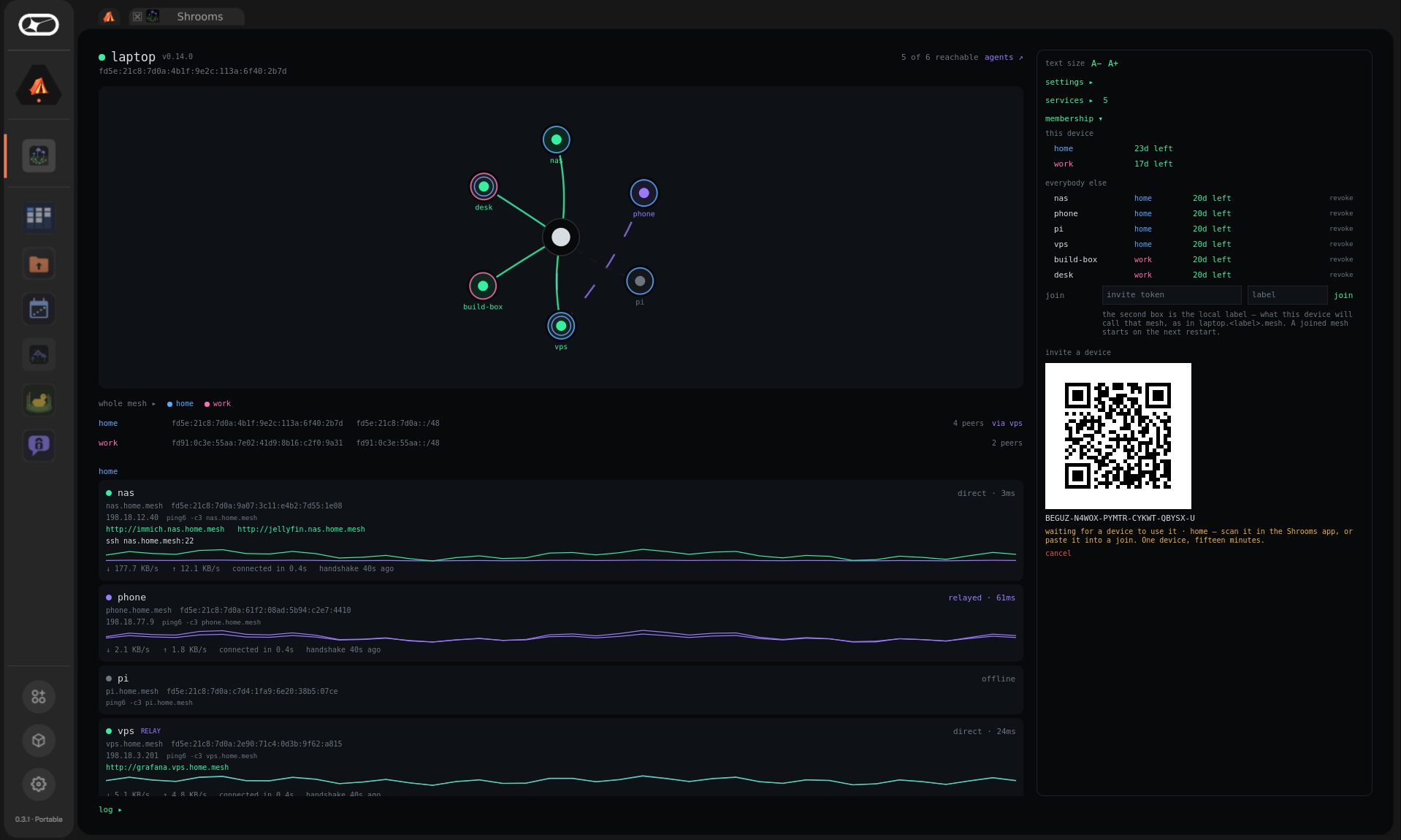
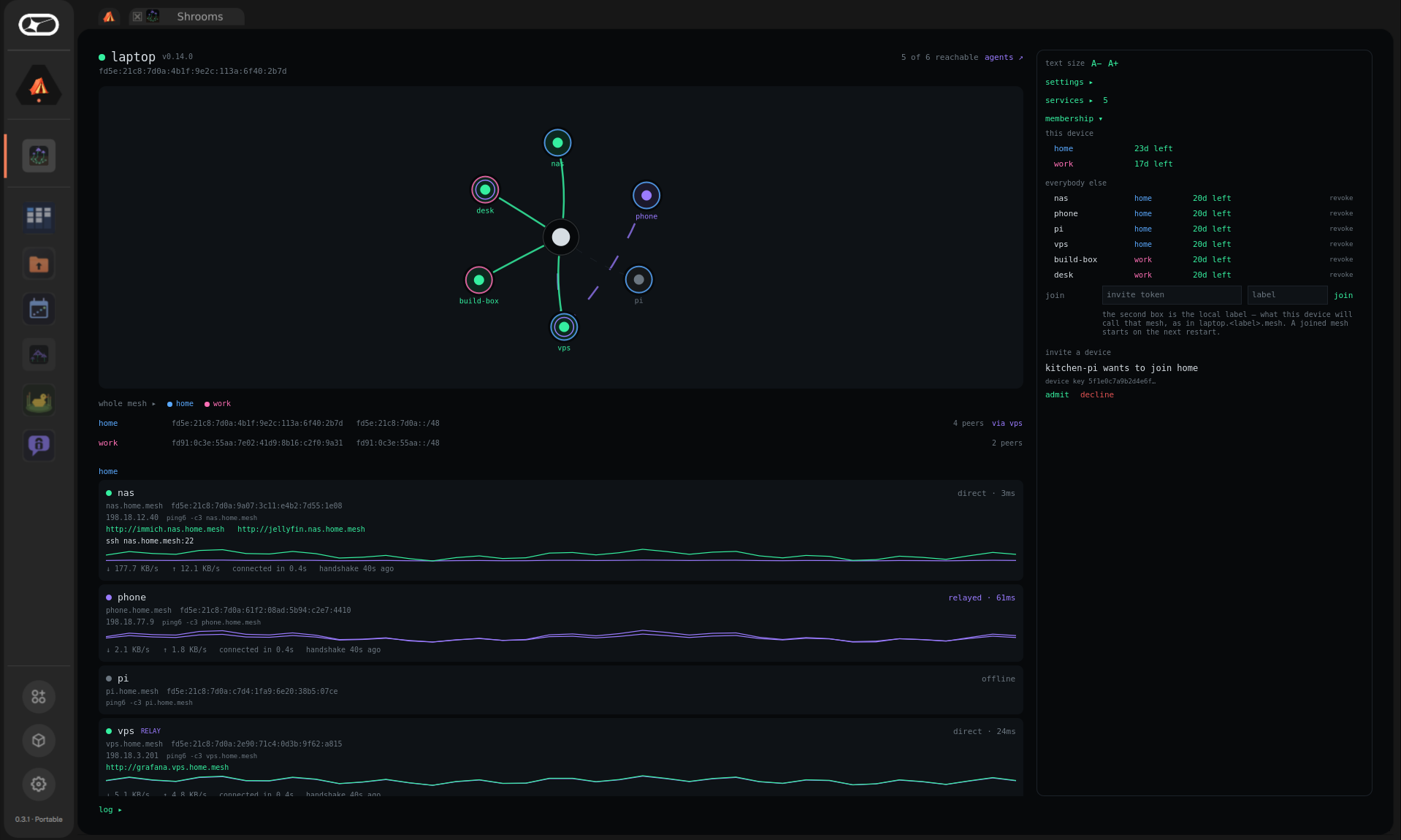
Renewing is the same: credentials last thirty days, and "renew home with the card" asks for one approval per device that is due. Revoking a lost phone is one click on its row and one approval.
Why only with a card. Anyone in the socket group can
ask the daemon to publish a signed statement. With a card, only the
card could have signed it, whoever asked. With a key file, the daemon
would need its passphrase, and anybody running as that file's owner
who had it could have signed — so on a mesh with a key file,
admitting stays with shrooms invite and
shrooms admin, run where the key is.
ADR-051
is the argument.
Desktop and phone
| Basecamp | Android | |
|---|---|---|
| Graph, roster, peer details, services | ✓ | ✓ |
| Several meshes: on, off, leave, join | ✓ | ✓ |
| Node mode, blind relays, device name | ✓ | ✓ |
| Log, diagnostics | ✓ filter, copy | ✓ share |
| Invite with a Keycard | ✓ USB reader | ✓ NFC |
| Renew and revoke with a Keycard | ✓ | — |
| Publish services, bound ports, relay, port mapping | ✓ | — (a phone serves nothing) |
| Home-screen widget, start on boot | — | ✓ |
| Open Shrooms Agents | ✓ | ✓ |
How it reaches the daemon
A Basecamp view runs in a sandbox that cannot open a socket or read a file.
So the view comes with shrooms_core, a small module in its own
process that speaks to the daemon's control socket and hands back JSON.
Anything that needs a format — tokens, credentials, signatures — is done by
the daemon, in Go, in one place; the card is the Keycard module's. The
whole design: ADR-025,
ADR-050.