Shrooms Backup
Your machines back each other up, over the mesh.
New, and being tested. It backs up its author's machines since November 2026. Restoring works from the command line; the apps cannot restore yet, and nothing tells you when a backup fails unless you look. Read what it does not do before trusting it with anything.
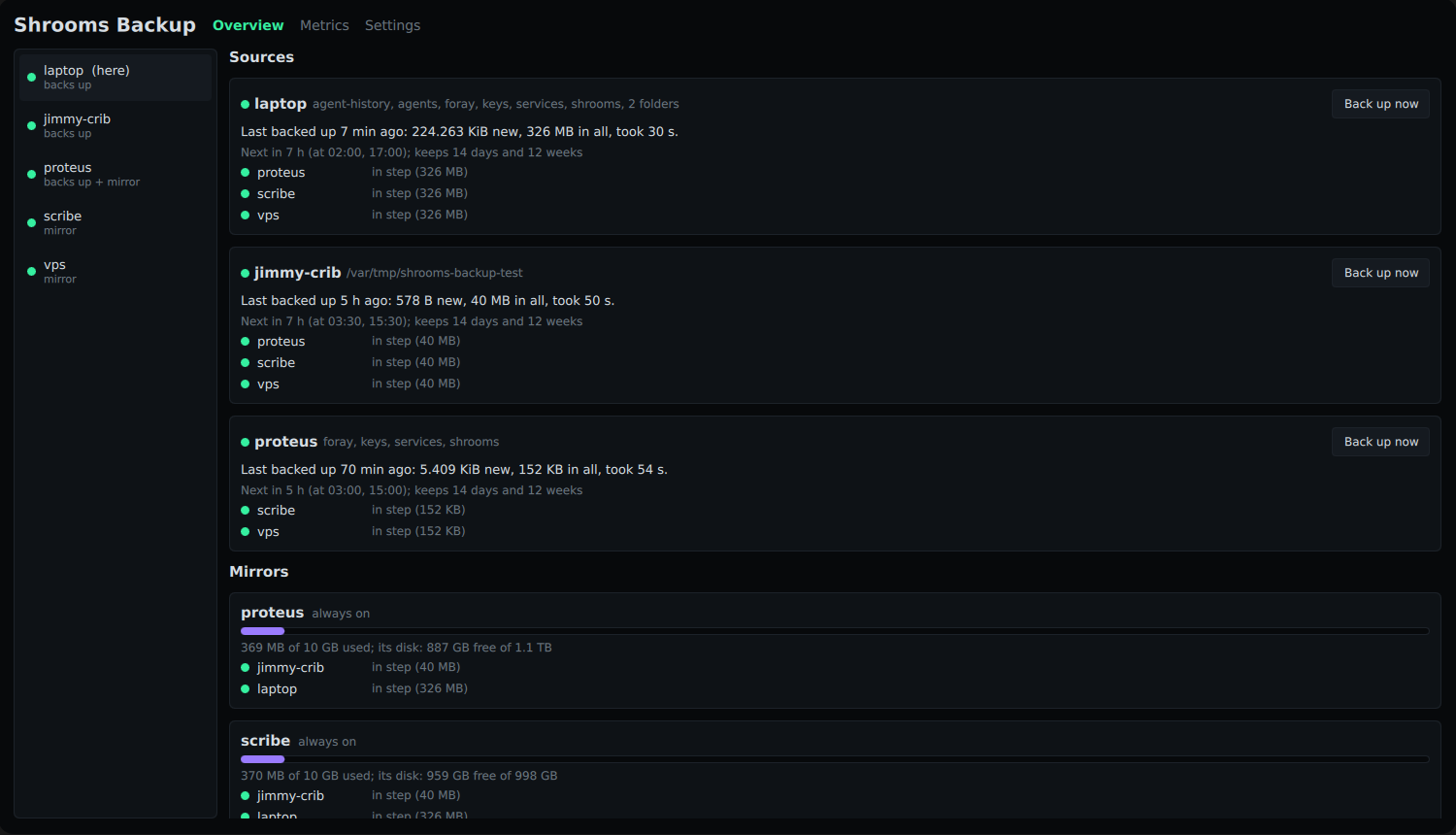
Why it belongs next to shrooms
You already have several machines on one mesh: a desktop in the office, a box at home, a VPS. Shrooms Backup lets each one back itself up to the others you pick, with no cloud account and no backup service in between. The mesh does the finding: every machine running it is found on its own, from Basecamp or the phone, and the copies travel over the mesh's own encrypted links.
How it works
- restic does the backing up: files cut into chunks, each chunk stored once, encrypted, snapshots kept by day and week. After the first run, a run carries only what changed.
- The copies live in Logos Storage, on a private network of your own nodes: each machine runs one on its mesh address, and nothing else joins. A machine uploads its run to its own node; each mirror fetches what it lacks. A run counts only when every mirror holds all of it.
- Mirrors cannot be told to forget. What a machine deletes from its backups stays on its mirrors for 30 days, so a machine that is broken into cannot take its history with it.
- Keys come from your Keycard. One card gives every machine a key of its own, worked out again whenever it is needed, so there is nothing to write down beyond the card's recovery phrase. The card goes into a reader on your laptop, never into the machine being backed up; the key reaches that machine over the mesh. Mirrors only ever hold ciphertext.
- Presets name what to keep: the mesh identity, the agents' settings, their conversations, SSH and GPG keys, service configs. The irreplaceable part of a machine is usually a few megabytes; any folder can be added.
- A modest share of each disk: 10 GB unless you choose more, never more than the disk can give, and a reserve always left free.
Install
On each machine, with shrooms already installed and on the mesh:
curl -fsSLO https://raw.githubusercontent.com/vpavlin/shrooms-backup/main/scripts/install.sh
sudo bash install.sh --mirror --always-on                                   # keeps copies for others
sudo bash install.sh --preset shrooms,keys --mirrors proteus,scribe      # backs itself up
Then give a machine its key from the card, on a machine with a reader:
shrooms-backup key --keycard --machine NAME. Run the installer
again to update; it keeps what is set.
The apps — a Basecamp module, shrooms_backup with its
shrooms_backup_core, and an Android app — show every machine,
its runs and its copies, and change its settings from any device among
its owners. They are in the author's own repositories so far, not yet in
the public ones above; build them from
the repository.
A separate program
Shrooms Backup is its own program, in its own repository, with its own apps: it uses the mesh the way any application does and nothing of shrooms' code. The network stays the boring part. Every decision behind it, with its reasons.
What it does not do
- No restore from the apps yet. Restoring is
shrooms-backup restore --from MIRROR --target DIRon the machine. - No alerts yet. A failed run shows in the apps, but nothing tells you unless you look.
- No phone tap yet. Keys come from the card in a USB reader; the Android app cannot set them by NFC yet.
- Only your own machines. Copies stay on the mesh's nodes; nothing goes to a storage network outside it, which is where Logos Storage is meant to take it later.