Your coding agents,
on your phone,
in ten minutes.
Leave Claude Code working on the laptop and walk away. When it stops to ask whether it may run something, your phone buzzes; you read the reply as it is written, allow it, and it carries on.
What you need
- For the phone, a shrooms mesh with the machine and the phone on it. No mesh yet? Five minutes. To try the agents on one machine first, from Basecamp, you need no mesh: the agent serves that machine alone until you add one.
- Claude Code or pi working in a terminal on that
machine, as your own user: installed, logged in, paid for. The agent runs
what is there; it does not install or log in either. Install them first,
with their own instructions:
Claude Code,
pi. One installed after the agent shows up
within 30 seconds; if it doesn't (an installer that changed your
PATH, or an agent older than 4 November 2026), runsystemctl --user restart shrooms-agent. - Linux with systemd, and docker or podman (shrooms already uses one).
1 · The machine: install the agent
-
As your own user — not root — fetch the installer and run it with sudo. It works out from
sudowhose agents it serves:curl -fsSLO https://raw.githubusercontent.com/vpavlin/shrooms/master/scripts/install-agent.sh sudo bash install-agent.shAdd
--voiceto transcribe voice notes on the machine itself (no speech service involved). -
It should end like this:
==> checking
  serving on its socket: Claude Code,pi
  and on the mesh, port 7387
  voice notes off (--voice to build them here)
done: the Shrooms Agents app and Basecamp module find it on the mesh.
Without a mesh it says this machine only instead: Basecamp finds it, the phone cannot yet. Add shrooms and run the installer again.
If it says Claude Code is missing or not logged in, fix that in a terminal first —
claudehas to work for your user.
2 · The phone: install the app
In F-Droid, from the same repository as Shrooms (
https://apps.vpavlin.xyz/fdroid/repo), install Shrooms Agents.Open it from the agents link in the Shrooms app — or directly. It looks for agents on every peer of your mesh, and your machine appears with its sessions.
3 · Start a session
+ session beside the machine's name. Give it a name (
webapp), a directory on that machine (~/src/webapp), and pick Claude Code.Type what you want done. The reply streams in as it is written.
When it asks to run something, the card turns amber — NEEDS YOU — and the phone notifies you. Allow, deny, or answer its question. Or set the session to auto-approve, ideally in a cage.
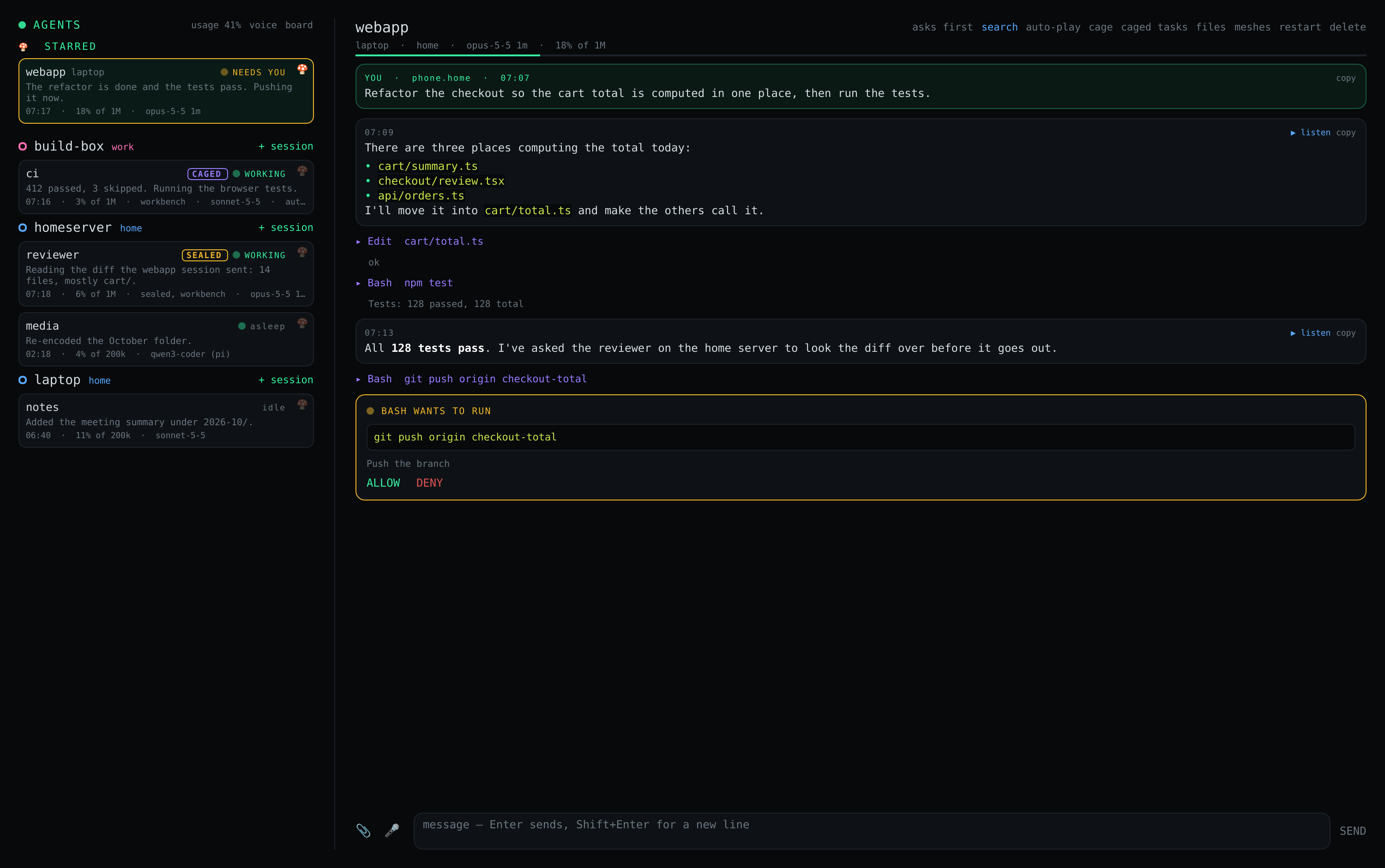
Already working in a terminal? Below the new-session form, "or continue a conversation" lists the Claude Code conversations in that directory. Pick one and carry on from the phone — the same conversation, not a copy.
4 · On the desktop, too
In Logos Basecamp, from https://apps.vpavlin.xyz/basecamp/logos-repo.json,
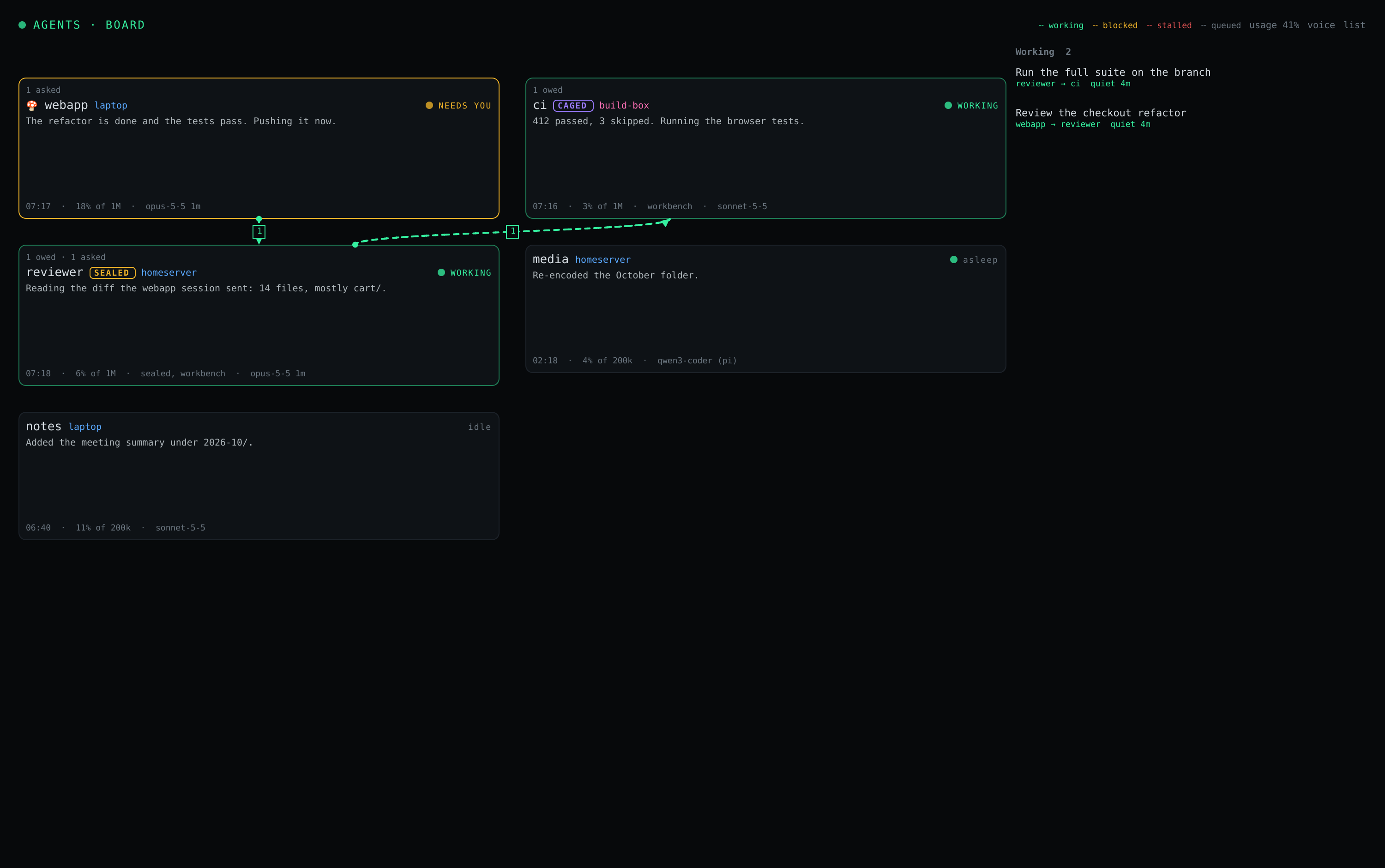
install Shrooms Agents beside Shrooms. The same sessions,
plus a board: a card per session, and lines between agents that are working
on each other's tasks.
Where it goes from here
Agents together
A session on the laptop asks one on the home server to run the tests or review a diff — a task that stays open until it is done.
Cages
A session in a rootless container of its own: auto-approve without handing it your home directory.
Will it last?
What your sessions used, and whether your plan's limits hold until they reset at the pace of the last hours.
The one-page version
What it is, how the access control works, and what it is not — to hand to somebody else.
The mesh is the access control. Every member of the mesh can drive the agents on it, and an agent can do whatever its user can. Right for a mesh of your own devices; wrong for one you share with other people. Run the agent only where every member is you.